You're halfway through a Reddit thread — a long AMA, a technical deep-dive in r/programming, or a brutally honest product review in r/buyitforlife — and you have to close the tab. You save it, somehow. Two weeks later you have no idea where it went.
That's the real problem with saving Reddit threads. The thread exists, the URL is technically somewhere, but it's invisible to you until you go digging. This guide covers every practical method for saving Reddit threads to read later, from Reddit's own tools to browser bookmarks to one-click clippers — with honest notes on when each one actually works.
Method 1: Reddit's Built-in Save Button
Reddit has a native save feature. On any post, click the three-dot menu or look for the Save option beneath the post title. On mobile, tap the bookmark icon. The post gets added to your profile under Saved — accessible at reddit.com/saved.
This works fine for casual saves, but it has real limitations you'll run into quickly:
- No visual layout. Your saved list is a flat chronological feed with no way to group, tag, or sort threads by topic.
- Buried after a few saves. Once you've saved more than a handful of threads, finding a specific one requires scrolling or remembering vague details about the post.
- No context outside Reddit. If you're researching something across multiple sites — Reddit, a news article, a YouTube video — your Reddit saves are siloed from everything else.
- Comment threads don't save well. You save the post, not a specific comment chain. If the thread is long, you're back to hunting for the part you actually wanted to re-read.
Method 2: Browser Bookmarks and Open Tabs
The next most common approach is simply bookmarking the Reddit URL or leaving the tab open. Both work in a technical sense — the URL is preserved — but both create the same problem: a graveyard of links with no memory attached.
Bookmarks save the URL and the page title, but Reddit thread titles are often long, weird, or cut off. Six months later, a bookmark called "Anyone else notice that the — r/technology" tells you nothing. You have to click each one to remember why you saved it.
Open tabs are even worse as a long-term strategy. Tabs don't survive browser crashes, accidental closes, or switching devices. They're fine for "I'll read this in ten minutes" and genuinely unreliable for anything longer.
The core problem with both methods is that they're invisible. There's no thumbnail, no note you wrote to yourself, no way to see at a glance what you saved and why. Retrieval depends entirely on your memory, and your memory is exactly why you needed to save it in the first place.
Method 3: One-Click Clipping with the Sticky Note Web Clipper
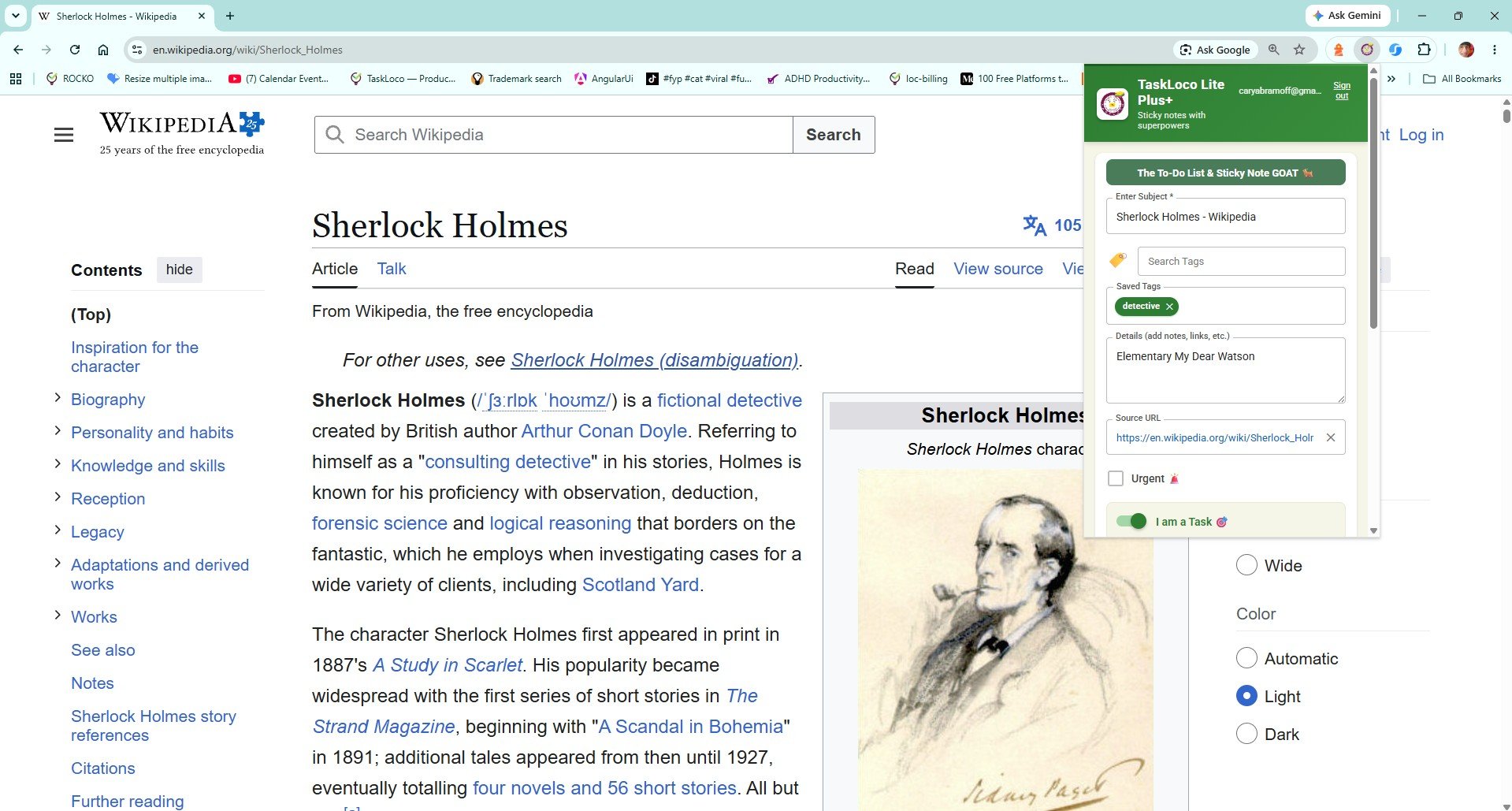
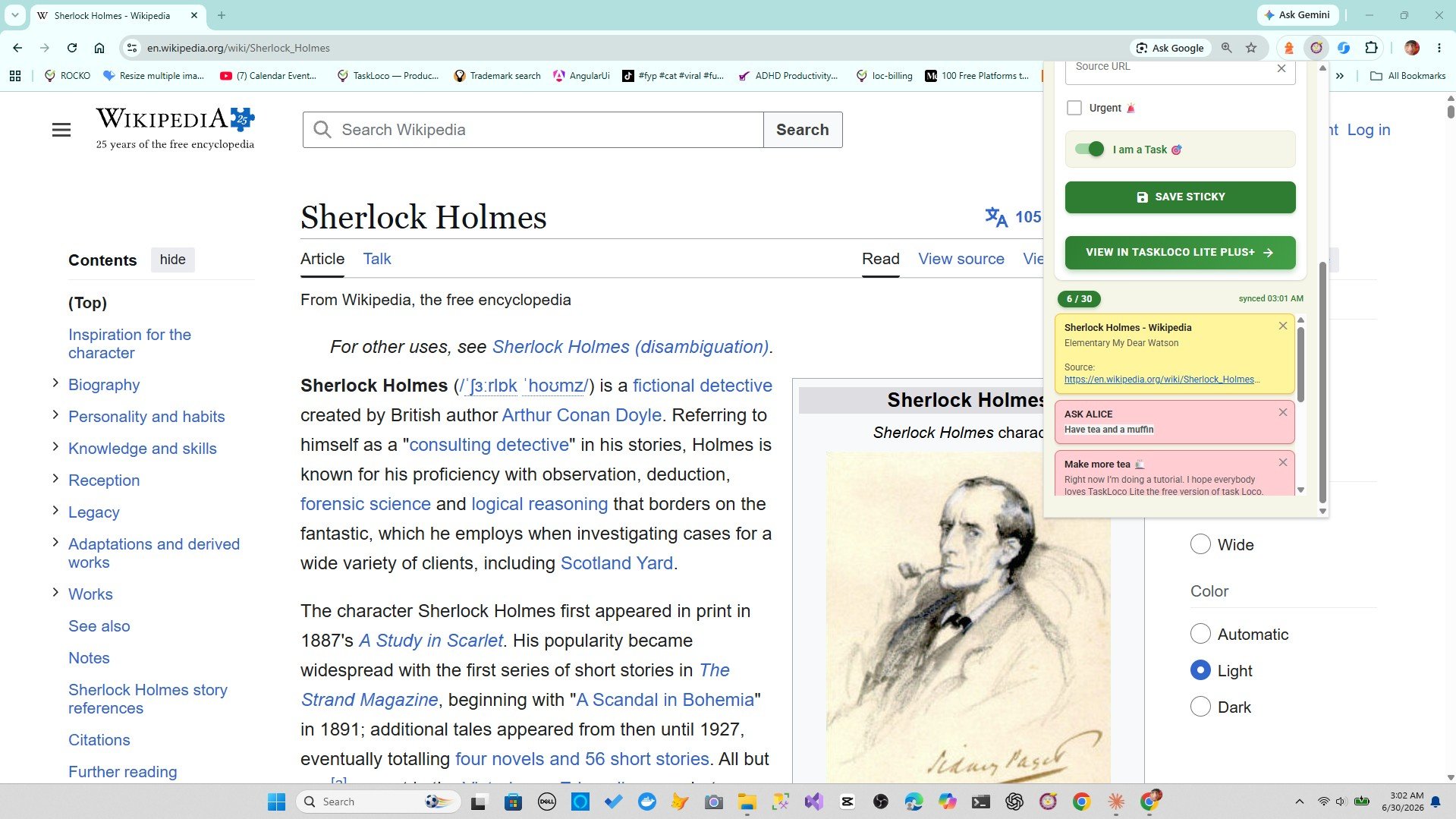
The Sticky Note Web Clipper is a free Chrome extension. When you're on a Reddit thread you want to save, you click the toolbar icon once. The thread's title and URL are auto-filled into a visual sticky note on your TaskLoco wall. That's it — you're done in under two seconds.
What makes this genuinely better for Reddit threads specifically:
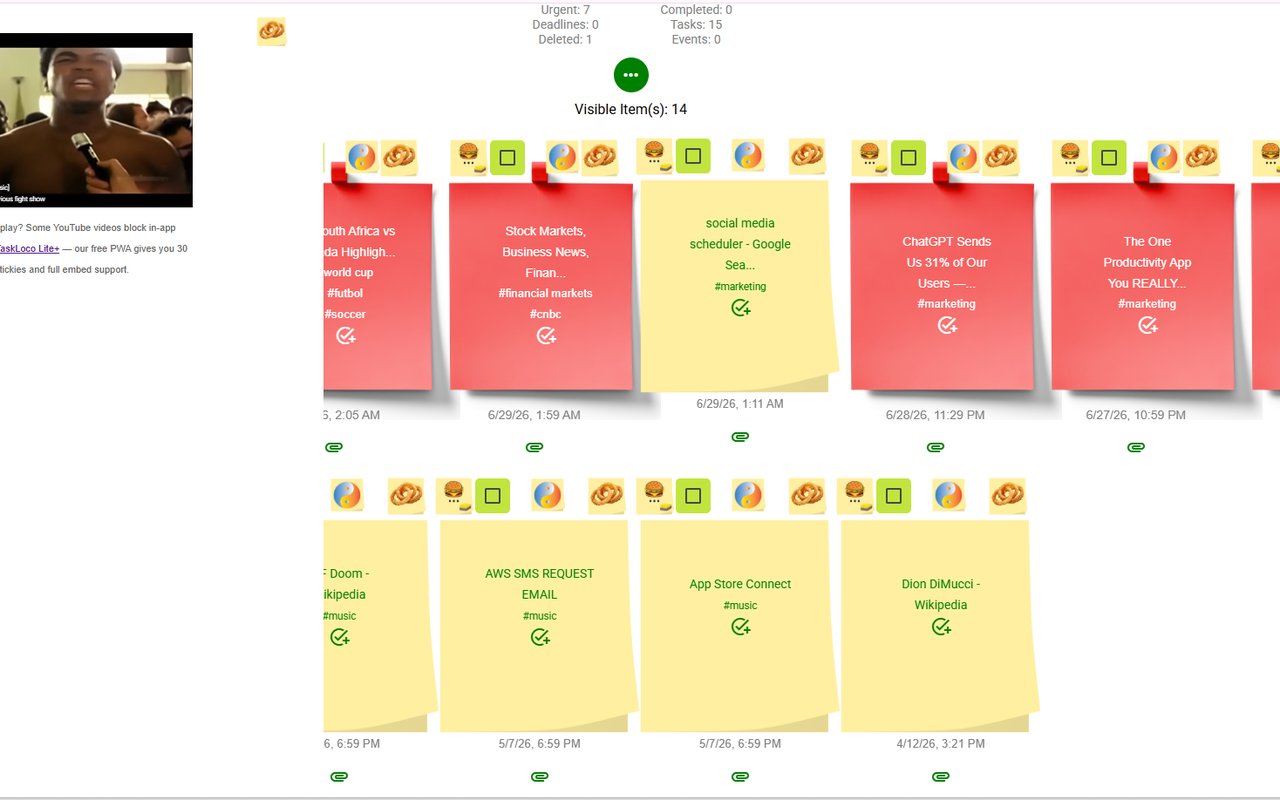
- Visual notes you can actually scan. Your saved threads appear as sticky notes on a wall, not a flat list. You can see what you have at a glance instead of reading through a chronological feed.
- Works across everything you read. Saving a Reddit thread alongside a news article, a research paper, and a YouTube video? They all live on the same wall. Reddit's built-in save only captures Reddit.
- Tags and search. Add a tag like "research" or "recipes" when you save, and finding it later takes seconds. Search works across all your saved notes.
- Syncs to your phone. The note you clip on your laptop shows up in TaskLoco on your iPhone or Android. You can pick up reading on your commute without sending yourself links.
To get started: install the extension free from the Chrome Web Store, sign in with your Google account, and click the toolbar icon on any Reddit thread. The note is created instantly.
Choosing the Right Method for How You Actually Read
There's no single right answer — it depends on what you actually do with saved threads. Here's an honest breakdown:
- Use Reddit's built-in save if you're saving one or two posts you'll read within the same session and you never leave Reddit. It's frictionless and requires no extra setup.
- Use bookmarks if you have a disciplined folder system and you're saving Reddit threads as permanent references you'll search by keyword in your browser. Few people actually maintain this.
- Use the Sticky Note Web Clipper if you read across multiple sites, want to see what you saved without clicking into each link, or need your saves to travel with you to your phone. It's the only method here that creates a visual, searchable, cross-device archive — and it's free.
The pattern most people fall into is saving threads with Reddit's button, forgetting they exist, and re-finding the same thread via Google a month later. If that sounds familiar, a one-click clipper is the fix — not because it's more powerful, but because it makes your saves visible.
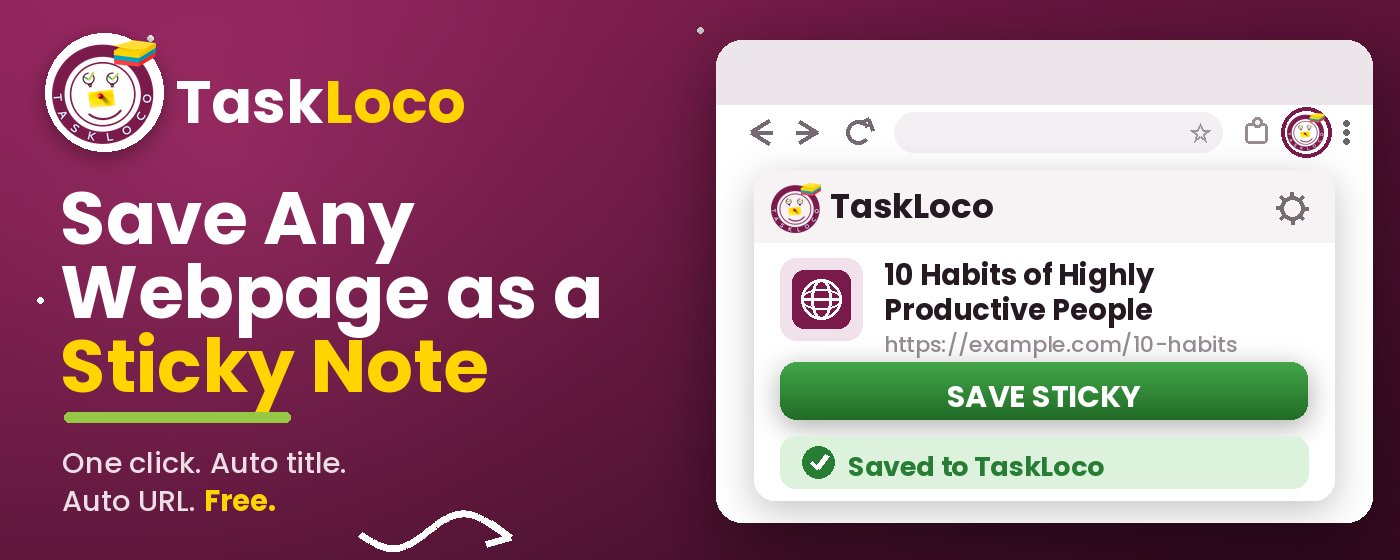
The Sticky Note Web Clipper is free. Install it from the Chrome Web Store, sign in with Google, and every page you clip becomes a sticky note you can find later.
Your clipped notes sync to TaskLoco across Chrome, desktop, iPhone, and Android — also free to start. No credit card to begin.
Get the Free Clipper
Sticky Note Web Clipper
- Free Chrome extension
- One-click save — any page, article, or video
- Title & URL auto-filled
- Tags & search
- Free forever
Synced to TaskLoco
- Sign in free with Google
- Your wall on Chrome, desktop, iPhone, Android
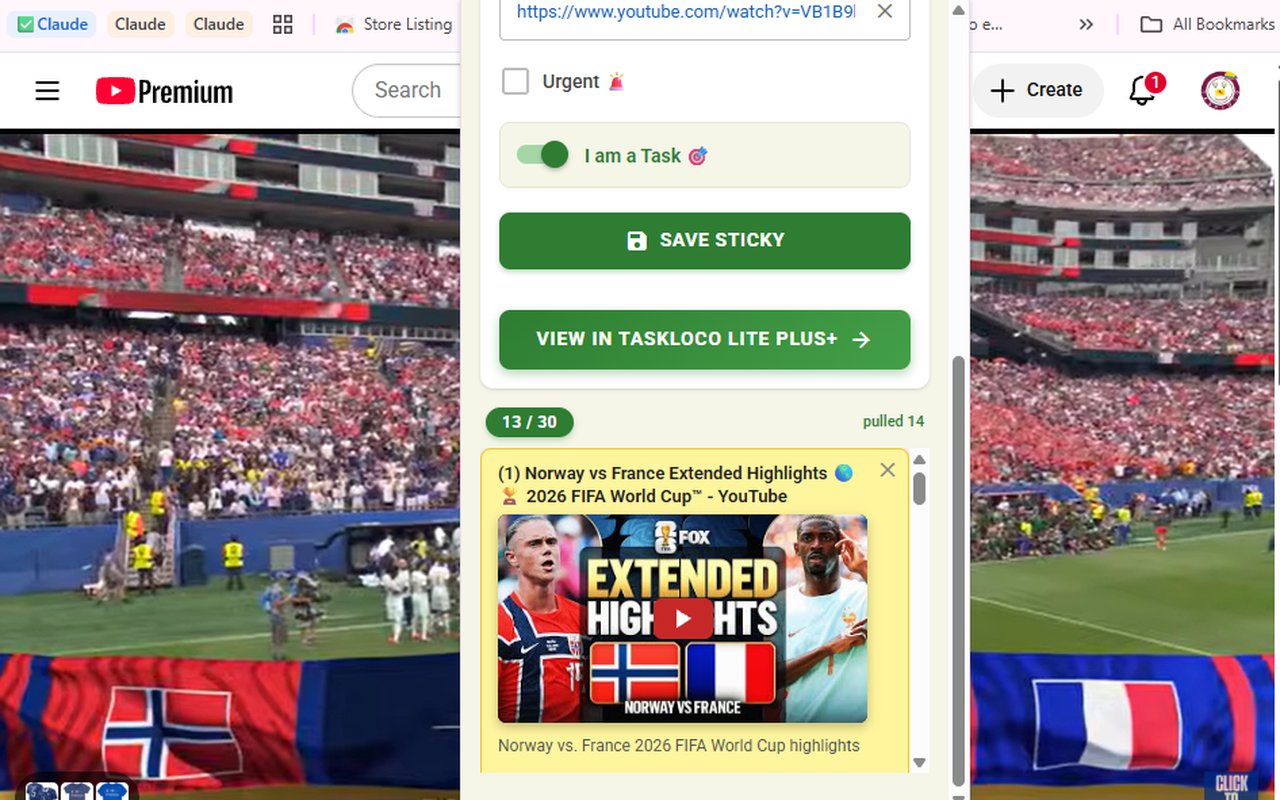
- YouTube videos embed & play in notes
- Visual sticky-note wall
- Free to start
Add It to Chrome — Free
One click saves any page, article, or YouTube video as a sticky note. Title and URL auto-filled.
Add to Chrome — FreeSee TaskLoco in Action
Frequently Asked Questions
What is the easiest way to save a Reddit thread to read later?
The easiest method is a one-click web clipper. Install the free Sticky Note Web Clipper from the Chrome Web Store, then click the toolbar icon on any Reddit thread. The title and URL are auto-filled into a sticky note on your TaskLoco wall. No copy-pasting, no folder hunting — one click and it's saved.
Does Reddit have a built-in save feature?
Yes. Below any Reddit post, there's a Save option (or a bookmark icon on mobile). Saved posts appear at reddit.com/saved. It works for casual saves, but there's no tagging, no visual layout, and it only captures Reddit content — not articles or videos you're reading elsewhere.
Can I save a Reddit thread and read it on my phone later?
Yes — the cleanest way is to clip the thread with the Sticky Note Web Clipper on your desktop. The note syncs to TaskLoco on your iPhone or Android automatically via your free account, so the saved thread is waiting for you on your phone without any manual link-sending.
What's wrong with just bookmarking a Reddit thread?
Bookmarks preserve the URL but not your intent. Reddit thread titles are often long and cryptic, so a bookmarks folder of Reddit links quickly becomes unreadable. You have to click each bookmark to remember why you saved it. A visual sticky note gives you context at a glance.
Is the Sticky Note Web Clipper free?
Yes — the extension is completely free. TaskLoco, where your saved notes live, also has a free tier. Install the extension from the Chrome Web Store, sign in with Google, and start saving Reddit threads immediately.
Can I save Reddit threads alongside articles and YouTube videos in one place?
Yes, and this is one of the strongest reasons to use a web clipper over Reddit's native save. The Sticky Note Web Clipper works on any webpage — Reddit threads, news articles, YouTube videos (which embed and play inside the note), research pages, and any URL. Everything lands on the same visual wall.
How do I find a Reddit thread I saved weeks ago?
In TaskLoco, use the search or tags you added when you clipped the thread. If you used Reddit's built-in save, go to reddit.com/saved and scroll — there's no search within your saved posts, which is one of its biggest limitations for people who save frequently.
Born in Brooklyn. Powered by AWS. Your data stays yours.
TaskLoco is available on iPhone, Android, Chrome, and every web browser.