You find a great article. You plan to read it in five minutes. Twelve tabs later, it's gone — buried, closed, or just forgotten. This is not a focus problem. It's a saving problem. The moment between finding something worth keeping and actually keeping it is where most useful content disappears.
There are real methods to fix this, and the good news is that none of them require a complicated system. What matters is reducing the number of steps between "I want to save this" and "it's saved." The fewer the steps, the less distraction has to work with.
Why You Lose Pages to Distraction (and What Actually Helps)
The culprit is almost always friction. When saving a page requires more than two seconds of attention — opening a new app, copying a URL, writing a title, choosing a folder — your brain has already started to wander. By the time you're done, something else has pulled your focus.
The old advice was to bookmark everything and sort it later. The problem: bookmarks are invisible. They sit in a dropdown you never open, with no visual cue, no context, and no easy way to browse what you saved. Most people have hundreds of forgotten bookmarks from years ago.
A better approach is to make saving the zero-effort action, not the careful one. You don't need to organize in the moment — you just need to capture. Organization can happen later when you're not mid-research.
Practically, this means using a tool that sits in your browser toolbar and acts instantly. No new tab, no login screen mid-flow, no choosing a folder before you can save. The capture happens first; everything else can wait.
A Real Method: The One-Click Capture Habit
Here is a simple approach that actually works, regardless of which tool you use:
- Commit to one capture point. Whether it's a browser extension, a note in your phone, or even a dedicated bookmark folder, pick one place and send everything there. The worst outcome is saved content scattered across five different apps you check inconsistently.
- Save first, read later. Stop trying to decide if something is worth saving before you save it. Save it, then decide. The cost of saving something you didn't need is near zero. The cost of losing something useful is high.
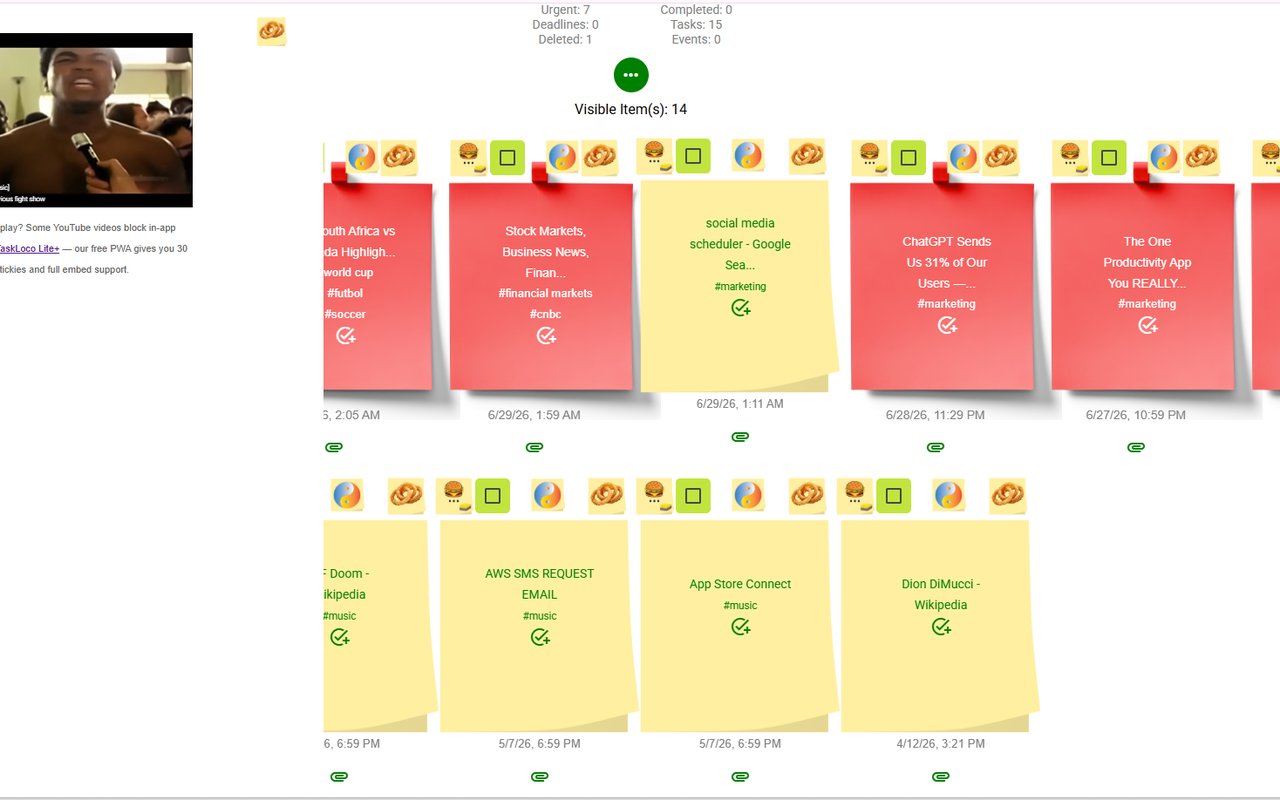
- Use a visual format. Text-only lists of URLs are nearly impossible to browse. A visual grid of notes — where you can see the page title and even a thumbnail — lets you actually find things again. Your brain recognizes images faster than it parses lists.
- Keep your capture tool in the toolbar. If you have to navigate to it, you won't use it when distraction is peaking. A toolbar icon you can click in a split second is the difference between saving and forgetting.
None of this requires a premium subscription or a complicated workflow. The simpler the system, the more consistently you'll use it.
How the Sticky Note Web Clipper Fits This Habit
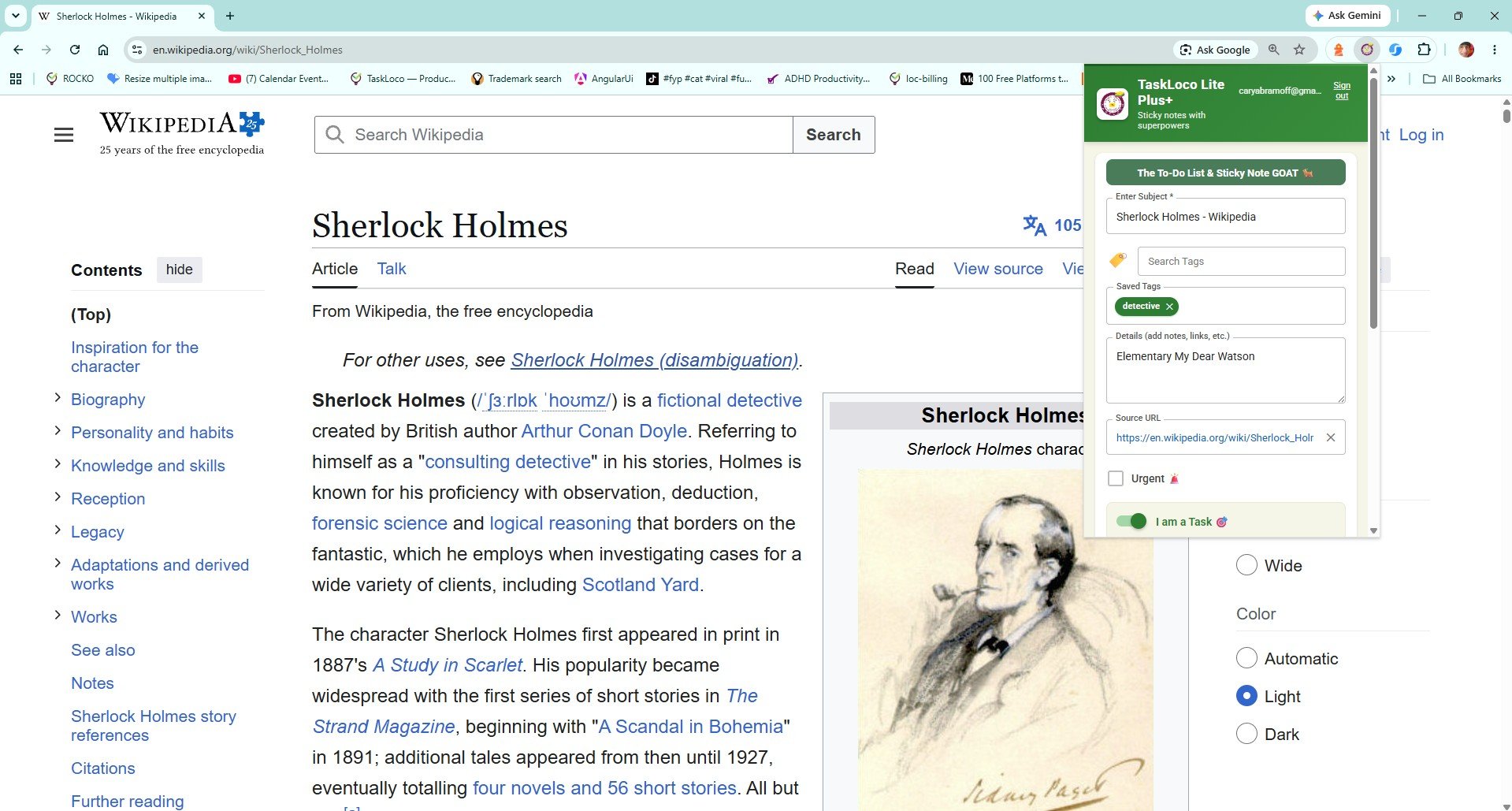
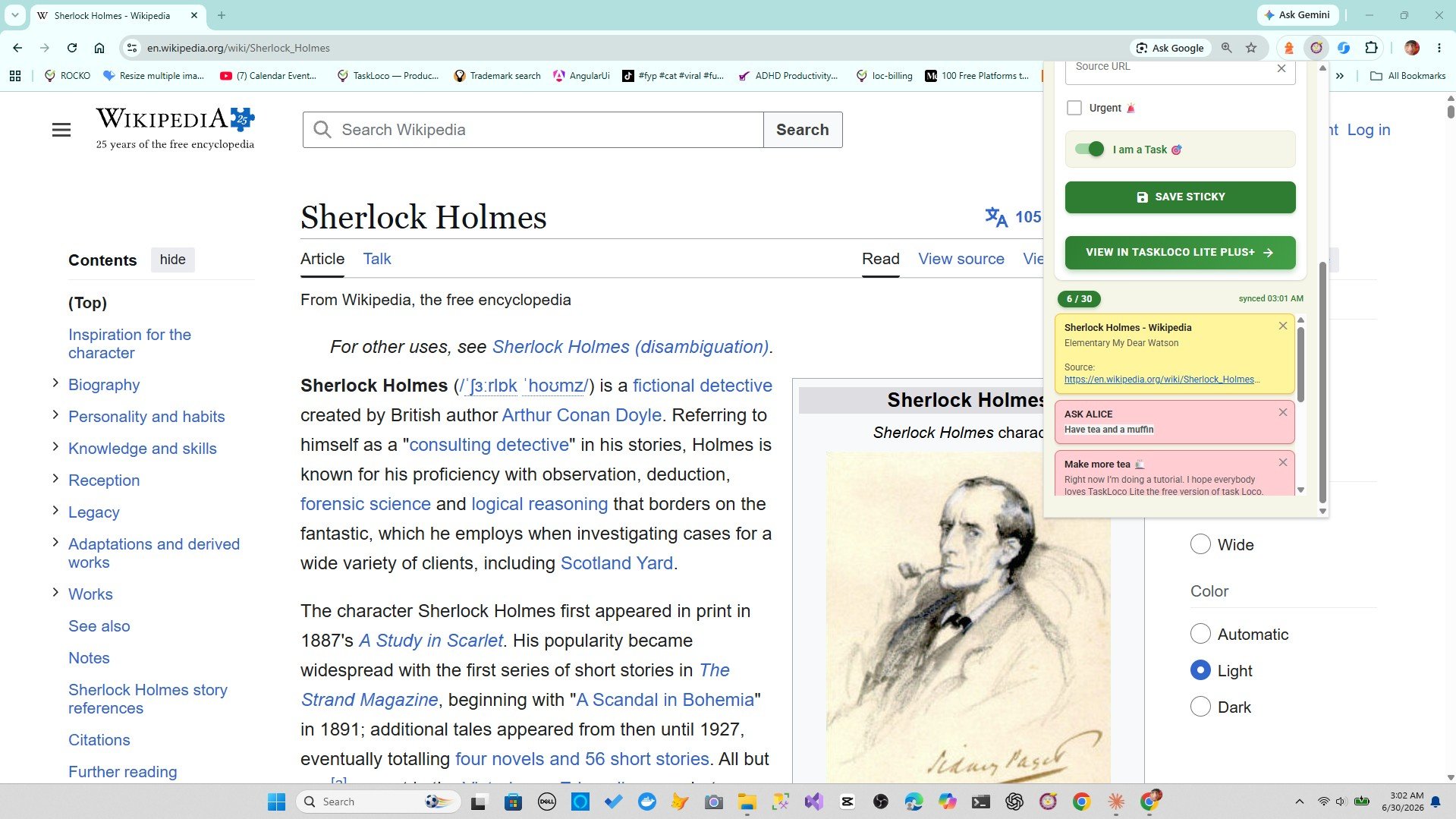
The Sticky Note Web Clipper is a free Chrome extension built for exactly this moment — when you need to capture a page before your attention moves on. Click the toolbar icon on any tab and the page is instantly saved as a visual sticky note, with the title and URL already filled in. No copy-paste. No modal with fifteen fields. One click.
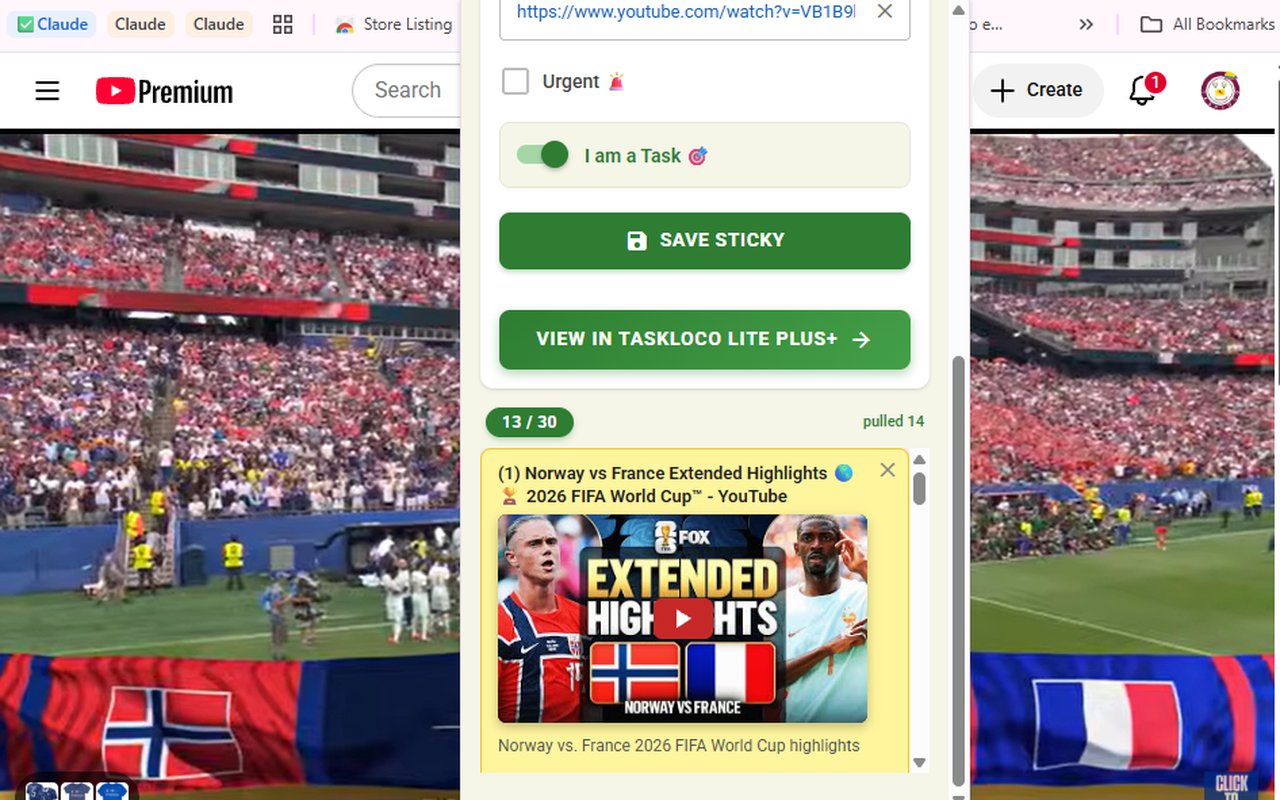
What makes it more useful than raw bookmarks is the format. Saved pages appear as sticky notes on a visual wall in TaskLoco, so you can actually browse what you've captured. Articles, news pages, research sources, and YouTube videos all save the same way — and YouTube videos embed inside the note so you can watch them without leaving your workspace.
You can add tags to notes and search your collection, which means finding something you saved three weeks ago takes seconds rather than a scroll through an endless bookmark list. The wall syncs across Chrome, desktop, iPhone, and Android, so a page you clip on your laptop is waiting for you on your phone.
If you already have a saving habit but you're losing things because your current method has too many steps, this is the direct fix. Install the Sticky Note Web Clipper from the Chrome Web Store and the next time you find something worth keeping, one click is all it takes.
What To Do With Pages Once You've Saved Them
Saving without revisiting is just digital hoarding with extra steps. The point of capturing pages is to actually use them — finish the article, apply the research, watch the video. Here's how to make sure saved pages don't just accumulate:
- Review your wall once a day. Even two minutes of scanning what you saved keeps your capture habit connected to real action. In TaskLoco, your sticky notes are right there on the wall — no digging required.
- Use tags at the moment of saving. A single word — read, research, recipe, watch — gives you a filter later. Tags take three seconds and make your collection searchable rather than just scrollable.
- Delete what you don't need. A wall of 300 unread articles is as paralyzing as a wall of 300 unread emails. If something sat for a month and you never went back, delete it. This isn't failure — it's good curation.
- Keep YouTube videos as notes, not open tabs. Video tabs are notorious for staying open for weeks. Saving a video as a sticky note closes the tab and keeps the content accessible — it embeds and plays right inside the note.
The real problem with open tabs isn't that they exist — it's that they demand attention just by being visible. Every open tab is a small, persistent obligation. Converting tabs into organized notes removes that pressure without losing the content.
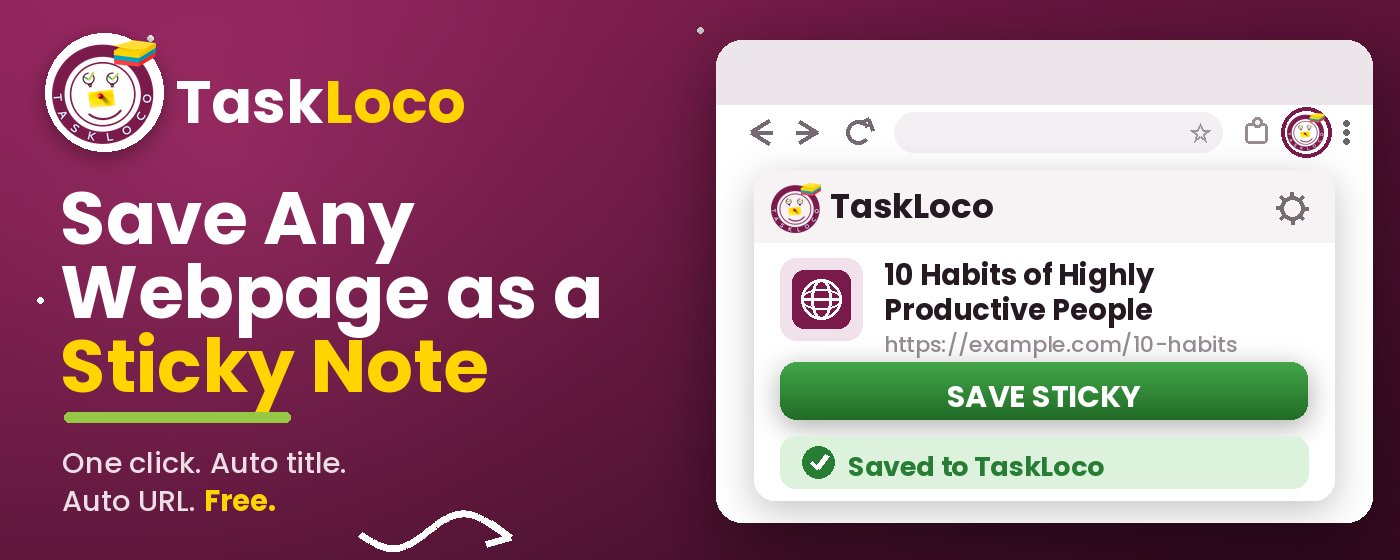
The Sticky Note Web Clipper is free. Install it from the Chrome Web Store, sign in with Google, and every page you clip becomes a sticky note you can find later.
Your clipped notes sync to TaskLoco across Chrome, desktop, iPhone, and Android — also free to start. No credit card to begin.
Get the Free Clipper
Sticky Note Web Clipper
- Free Chrome extension
- One-click save — any page, article, or video
- Title & URL auto-filled
- Tags & search
- Free forever
Synced to TaskLoco
- Sign in free with Google
- Your wall on Chrome, desktop, iPhone, Android
- YouTube videos embed & play in notes
- Visual sticky-note wall
- Free to start
Add It to Chrome — Free
One click saves any page, article, or YouTube video as a sticky note. Title and URL auto-filled.
Add to Chrome — FreeSee TaskLoco in Action
Frequently Asked Questions
What is the fastest way to save a web page without losing focus?
Click a single toolbar icon. The free Sticky Note Web Clipper captures the current page as a sticky note — title and URL auto-filled — in one click, without opening a new tab or interrupting what you're doing.
Why do I keep losing web pages I meant to read?
Usually because saving them requires too many steps — copying a URL, switching to another app, writing a title. That friction is enough for distraction to win. The fix is reducing the save action to a single click so you capture the page before your attention moves on.
Are browser bookmarks good enough for saving pages?
For a handful of frequently visited sites, yes. For saving articles and research you intend to read later, bookmarks fall short. They're invisible by default, have no visual layout, and most people never browse them again. A visual format — like sticky notes on a wall — makes saved content actually findable.
Can I save YouTube videos with the Sticky Note Web Clipper?
Yes. When you clip a YouTube page, the video embeds inside the sticky note and plays directly from there. You don't need to keep the tab open, and you won't lose the video in a sea of browser tabs.
Will my saved pages be available on my phone?
Yes. Notes saved through the Chrome extension sync to TaskLoco, which is available on iPhone, Android, and desktop. Clip something on your laptop and it's ready to read on your phone.
Is the Sticky Note Web Clipper free?
Yes — the extension is completely free. TaskLoco also has a free tier. Install the extension from the Chrome Web Store, sign in with Google, and start clipping immediately.
How do I find a page I saved weeks ago?
In TaskLoco, you can search your notes by keyword or filter by tag. If you added even a single tag when you saved the page — like research or read — finding it takes a few seconds. The visual wall format also helps because you can browse by sight rather than scanning a text list.
Born in Brooklyn. Powered by AWS. Your data stays yours.
TaskLoco is available on iPhone, Android, Chrome, and every web browser.