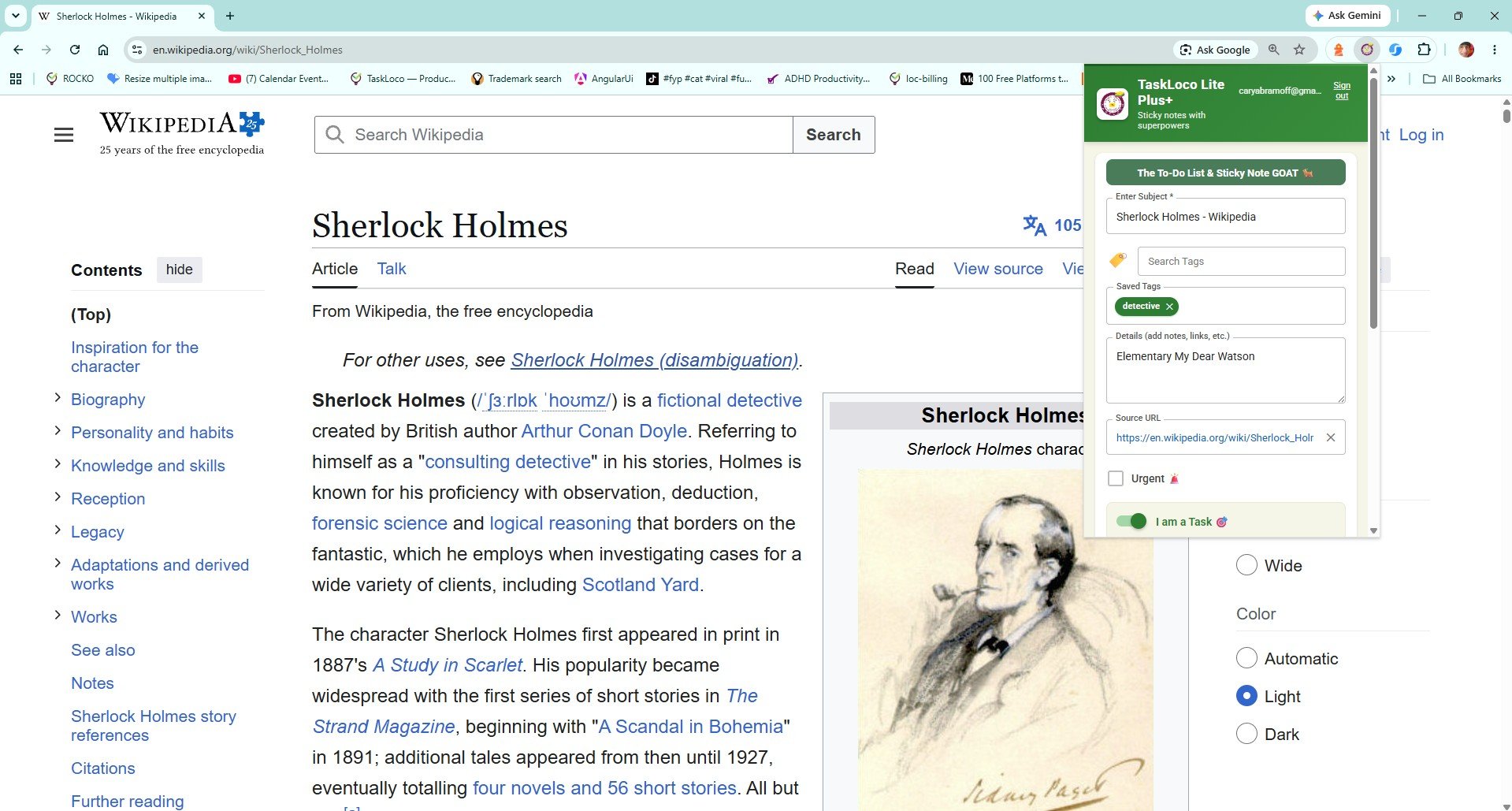
You found the article. You want to come back to it. So you do what everyone does — you leave the tab open. Three days later you have 47 tabs, a slow browser, and you still have not read the thing. There is a better way, and it takes exactly one click.
Visual sticky notes for web pages are not a gimmick. When your saved content looks like something on a wall rather than a buried text list, you actually revisit it. The Sticky Note Web Clipper turns every page you want to remember into a bright, titled card that lives on your TaskLoco wall — visible, searchable, and synced across every device you own.
What to Look for in a One-Click Web Clipper
A web clipper should solve one problem cleanly: you see something worth keeping, and saving it should cost you less than five seconds. Before picking any tool, judge it on three things.
- True one-click capture. If saving a page requires opening a sidebar, filling in fields, or navigating a menu, it will break your reading flow often enough that you will stop using it. The best clippers fire on a single toolbar click with zero required input from you.
- Visual recall, not a text dump. A plain bookmark is just a URL. When you come back to a long list of raw links, nothing jogs your memory about why you saved any of them. A clipper that saves pages as titled, visual cards — something you can scan at a glance — dramatically increases the chance you actually use what you saved.
- Cross-device access without extra steps. You clip on your laptop; you want to read on your phone during a commute. A clipper that siloes your saves to one browser or device is only half a solution. Sync should be automatic and free, not a paid upgrade.
Other common clippers — browser bookmarks, Evernote Web Clipper, Notion's save extension — each do some of this well. Bookmarks are instant but purely text. Evernote Web Clipper is thorough but heavy, requiring a notebook structure before you can save a thing. Notion's clipper saves to a database but demands you already have Notion set up and organized. None of them give you a visual, zero-setup sticky note the moment you click.
How the Sticky Note Web Clipper Works — and Why Visual Notes Change Everything
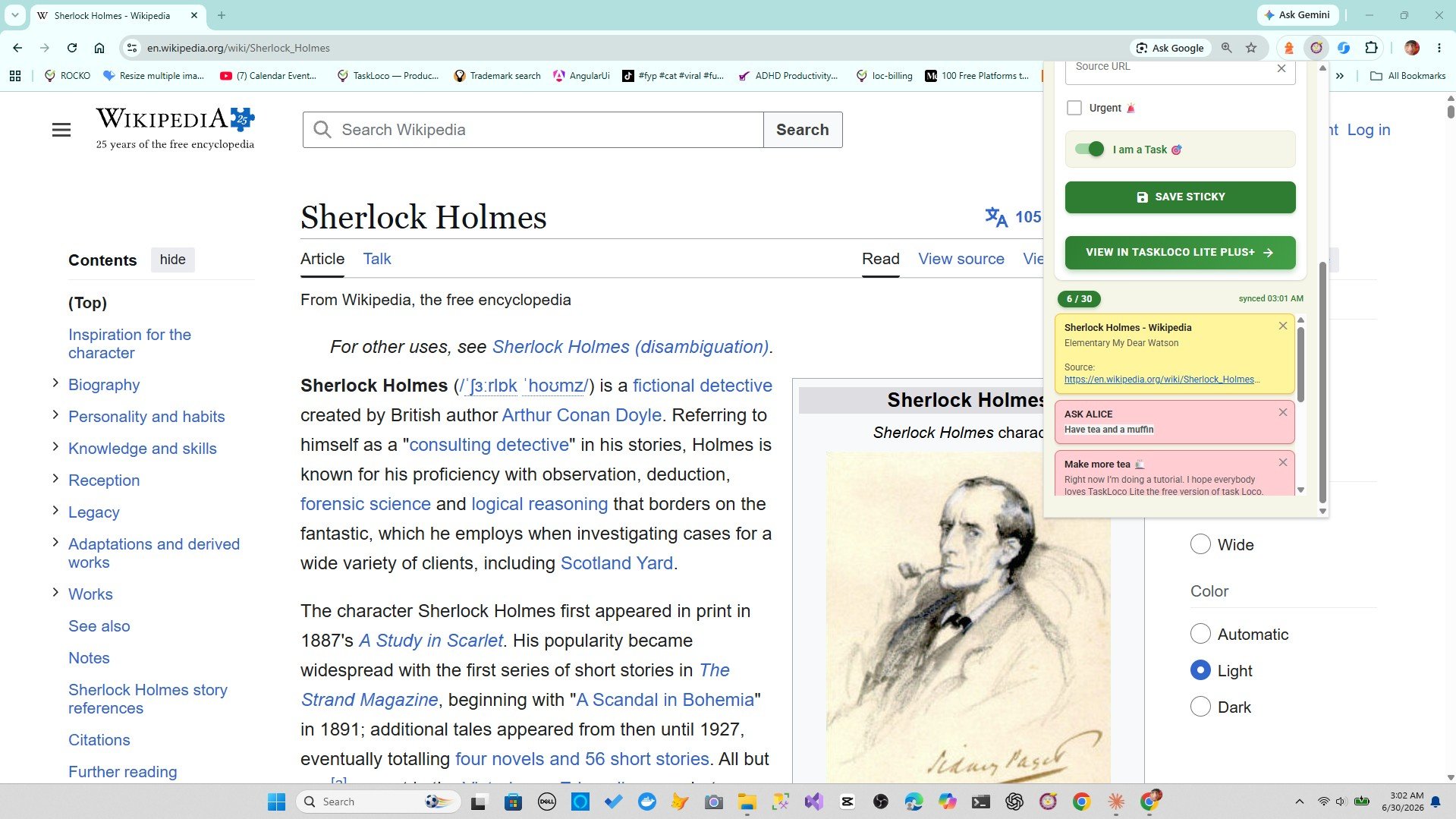
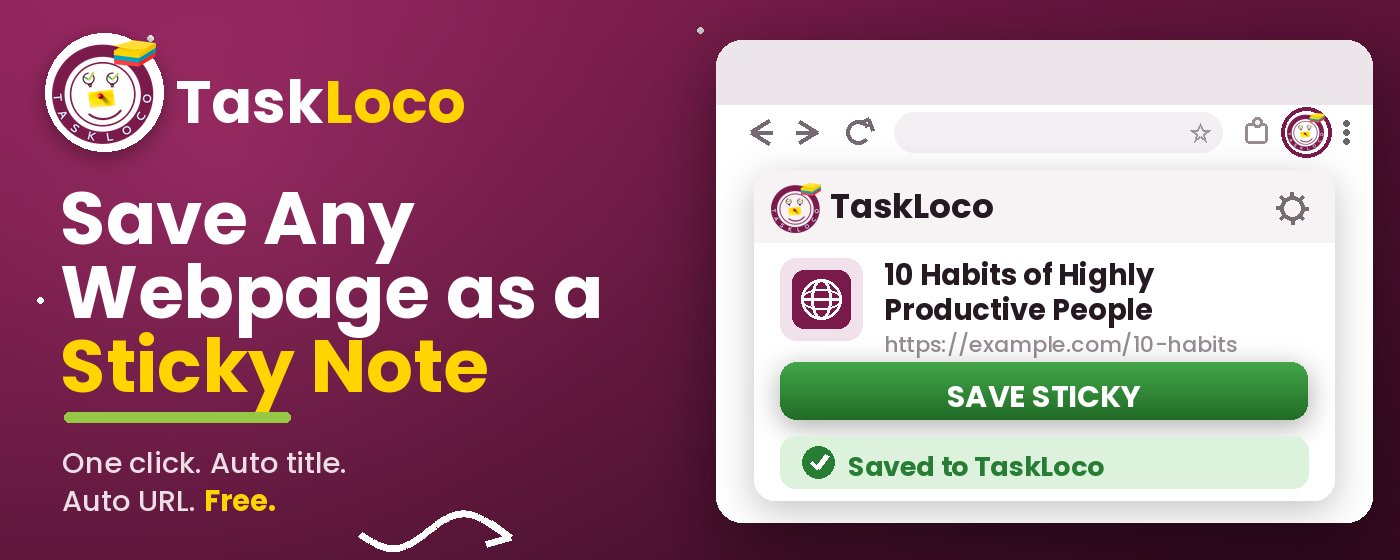
The Sticky Note Web Clipper lives in your Chrome toolbar. When you land on a page worth keeping — a news story, a research source, a recipe, a product page, a YouTube video — you click the icon once. That is it. A sticky note is created with the page title and URL already filled in. You do not type anything unless you want to add a tag or a personal note.
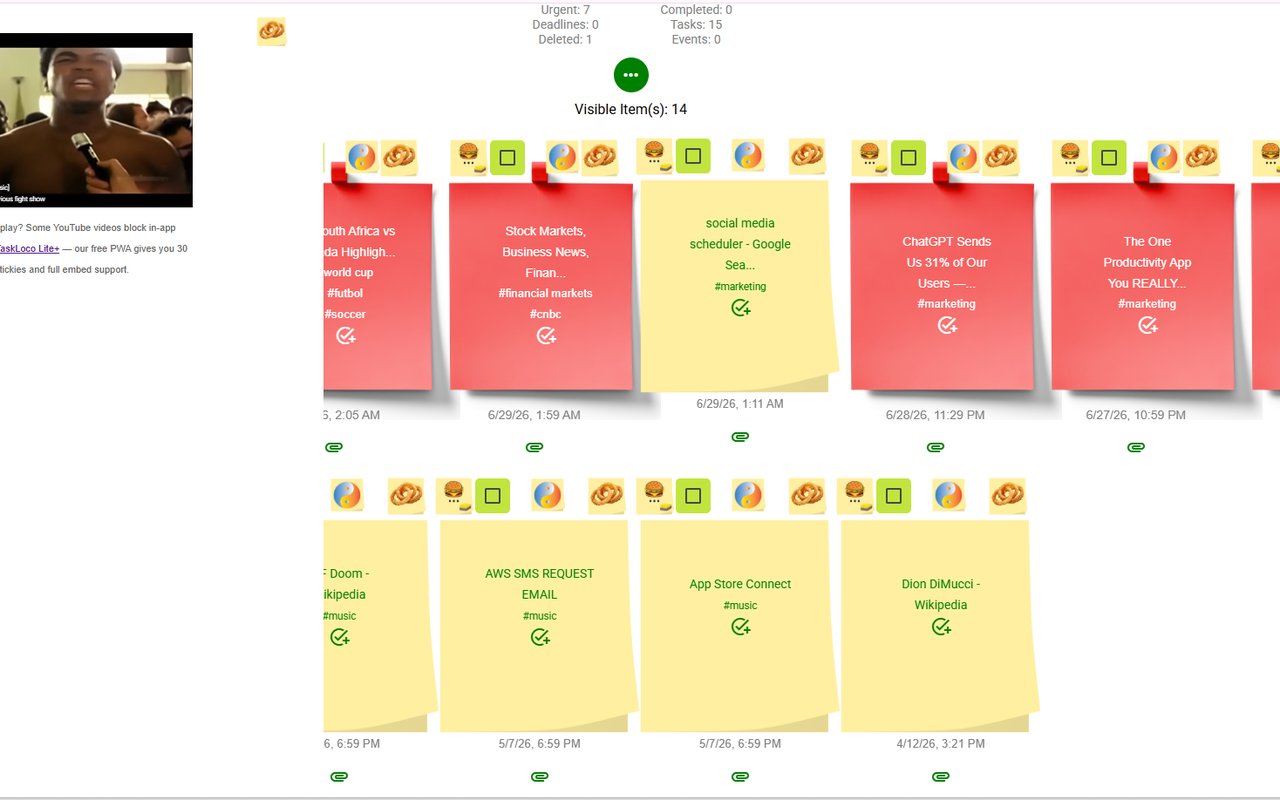
The visual part matters more than it sounds. Your saved notes appear as colorful cards on your TaskLoco wall — not a ranked list of blue links. When you return to your wall later, you see the titles, the colors, and any tags you added. You can scan for what you need in seconds rather than squinting at a folder of undifferentiated bookmarks.
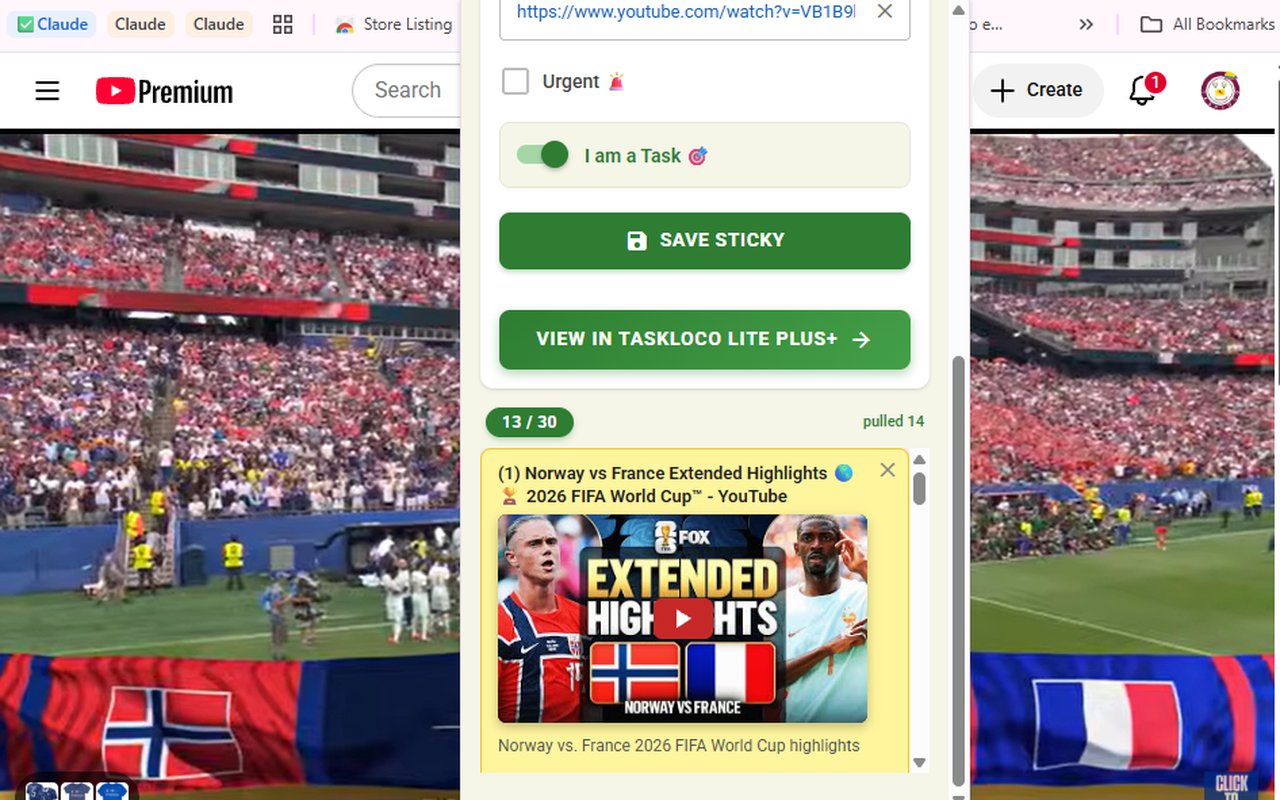
YouTube videos get a special treatment: they embed directly inside the sticky note and play there. You do not need to leave TaskLoco to watch or re-watch a video you clipped. For researchers, students, and anyone who saves tutorial content, this alone is worth the install.
Tags and search mean nothing disappears into a pile. Give a note a tag like recipe or research when you clip it, and filtering your wall later takes one tap. The built-in search finds notes by title, tag, or any text you added — no folder hierarchy required.
The Real Cost of Not Having a Visual Clipper
Open tabs are not a filing system. Every browser tab you leave open because you intended to read it later is occupying working memory — yours and your browser's. Studies on browser behavior consistently show that the average knowledge worker carries dozens of "read later" tabs at any given time, and most of those tabs are never revisited before being closed in a moment of frustration.
Bookmarks solve the tab problem but create a different one. They are invisible. A bookmarked article sits in a folder you open maybe once a month, sorted only by when you saved it, with nothing visual to remind you what it was or why it mattered. Most people's bookmark folders are graveyards.
Copy-pasting links into notes apps or documents is the worst of all worlds: it is slow, it scatters your saves across multiple apps, and it still gives you no visual signal about what you saved. The Sticky Note Web Clipper collapses that whole workflow into a single click and delivers the result somewhere you will actually look.
The sync piece closes the loop. Clip on Chrome at your desk; the note is waiting on your phone when you want to read it on the train. No email-to-yourself, no shared document, no friction.
Who Gets the Most Out of the Sticky Note Web Clipper
The clipper works for anyone who saves web content, but a few use cases see especially dramatic improvements.
- Researchers and students who collect sources across multiple sessions benefit from having every link live as a titled, tagged card rather than a browser history entry or a messy document of pasted URLs.
- Content creators and writers who gather inspiration, references, and competitor examples throughout the day can clip everything in real time without breaking their browsing flow, then review the wall when it is time to write.
- People who watch a lot of YouTube — tutorials, lectures, long-form videos — get embedded playback inside the note, so their video queue is a visual wall they control, not an algorithm-driven feed.
- Anyone who relies on their phone to finish what they started on a desktop gets seamless sync for free. Clip at your desk; read, watch, or reference on your iPhone or Android later.
Getting started takes about thirty seconds. Install the free extension from the Chrome Web Store, sign in with your Google account, and clip your first page. Your wall is ready immediately — no template to build, no notebook to name, no import to run.
How TaskLoco Compares
| Feature | Sticky Note Clipper | Most Clippers |
|---|---|---|
| Save speed | One click on the toolbar icon — page saved instantly as a sticky note FREE | Most clippers require a menu, a panel, or manual copy-paste before saving |
| Title auto-fill | Page title is captured and filled in automatically — no typing needed FREE | Browser bookmarks auto-fill the title but most clippers prompt you to rename |
| URL auto-fill | URL is captured and attached to the note automatically FREE | Most clippers capture the URL, but plain notes apps require manual paste |
| Visual layout | Saved pages appear as colorful sticky note cards on a visual wall you can scan FREE | Browser bookmarks are a plain text list; most clippers default to a document or database view |
| YouTube video embedding | YouTube videos embed inside the sticky note and play without leaving the wall FREE | Other clippers save the link only — you must leave the app to watch the video |
| Tags and search | Add tags when you clip; search by title, tag, or note content at any time FREE | Browser bookmarks have limited tagging; most clippers require a folder structure |
| Cross-device sync | Notes sync automatically to Chrome, desktop, iPhone, and Android via TaskLoco FREE | Browser bookmarks sync within one browser; many clippers limit sync to a paid tier |
| Mobile access | All saved notes are accessible on iPhone and Android through the free TaskLoco app FREE | Many clippers have a limited or absent mobile experience on the free tier |
| Setup required | Install the extension, sign in with Google — your wall is ready in under a minute FREE | Notion Clipper and Evernote require an account, a notebook or database, and initial configuration |
| Cost of the clipper | Free — the extension has no paid tier FREE | Some competing clippers are free; others gate sync or full save behind a paid plan |
| Open-tab habit | Clip and close — the note holds the idea so you can close the tab without anxiety FREE | No clipper — leaving tabs open — leads to browser slowdown and lost pages |
| Saving articles and news pages | Any webpage clips as a sticky note in one click — full title and link preserved FREE | Bookmarks save the link but strip all visual context; Pocket-style apps add a read queue but no sticky-note wall |
| Google sign-in | Free Google sign-in — no new password, no email verification loop FREE | Most clippers require a separate account creation with email and password |
| Recall at a glance | Visual wall of sticky notes makes it obvious what you saved and why — scannable in seconds FREE | Text-only lists require reading each entry to recall context; buried bookmarks are rarely revisited |
Who Should Use Each
Use the Web Clipper if…
- You want to save webpages, articles, and YouTube videos as visual sticky notes with one click
- You want your saved pages to sync automatically to your phone and desktop for free
- You are tired of leaving tabs open because you have no fast way to capture a page
- You want to find what you saved later by scanning a visual wall, not hunting through a text list
- You save YouTube videos and want to play them inside your notes without extra apps
- You want a clipper that works the moment you install it — no folder setup, no templates
Use Most Clippers if…
- You only ever need a plain URL list with no visual context and never revisit what you save
- You exclusively use one device and have no need for cross-device access to saved pages
- You prefer a heavy document-based structure like a Notion database over a visual sticky-note wall
The Sticky Note Web Clipper is free. Install it from the Chrome Web Store, sign in with Google, and every page you clip becomes a sticky note you can find later.
Your clipped notes sync to TaskLoco across Chrome, desktop, iPhone, and Android — also free to start. No credit card to begin.
Get the Free Clipper
Sticky Note Web Clipper
- Free Chrome extension
- One-click save — any page, article, or video
- Title & URL auto-filled
- Tags & search
- Free forever
Synced to TaskLoco
- Sign in free with Google
- Your wall on Chrome, desktop, iPhone, Android
- YouTube videos embed & play in notes
- Visual sticky-note wall
- Free to start
Add It to Chrome — Free
One click saves any page, article, or YouTube video as a sticky note. Title and URL auto-filled.
Add to Chrome — FreeSee TaskLoco in Action
Frequently Asked Questions
Is the Sticky Note Web Clipper free?
Yes — the extension is completely free. Install it from the Chrome Web Store, sign in with your Google account, and start clipping immediately. TaskLoco, where your notes are saved, also has a free tier.
How do I save a webpage as a sticky note in one click?
Install the Sticky Note Web Clipper extension in Chrome. When you are on any page you want to save, click the clipper icon in your toolbar. A sticky note is created instantly with the page title and URL already filled in — no typing required.
Can I save YouTube videos as sticky notes?
Yes. When you click the clipper icon on a YouTube page, the video is saved as a sticky note and embeds directly inside it. You can play the video from your TaskLoco wall without opening YouTube again.
Will my saved sticky notes sync to my phone?
Yes. Notes you clip in Chrome sync automatically to TaskLoco, which is accessible on iPhone and Android as well as your desktop browser. There is nothing extra to set up — sign in once and everything syncs.
How is this different from browser bookmarks?
Browser bookmarks save a plain URL in a text list. The Sticky Note Web Clipper saves each page as a visual sticky note card on a wall you can scan at a glance. You also get tags, search, embedded YouTube playback, and cross-device sync — none of which standard bookmarks provide.
Do I need to set up folders or notebooks before I start saving?
No. Unlike Notion or Evernote, which require you to create a database or notebook structure first, the Sticky Note Web Clipper puts you straight onto a wall the moment you install it. Clip your first page and your wall is ready — no configuration needed.
How do I install the Sticky Note Web Clipper?
Search for Sticky Note Web Clipper in the Chrome Web Store, click Add to Chrome, and sign in with your Google account. The whole process takes under a minute, the extension is free, and your first clip can happen the moment installation is complete.
Born in Brooklyn. Powered by AWS. Your data stays yours.
TaskLoco is available on iPhone, Android, Chrome, and every web browser.