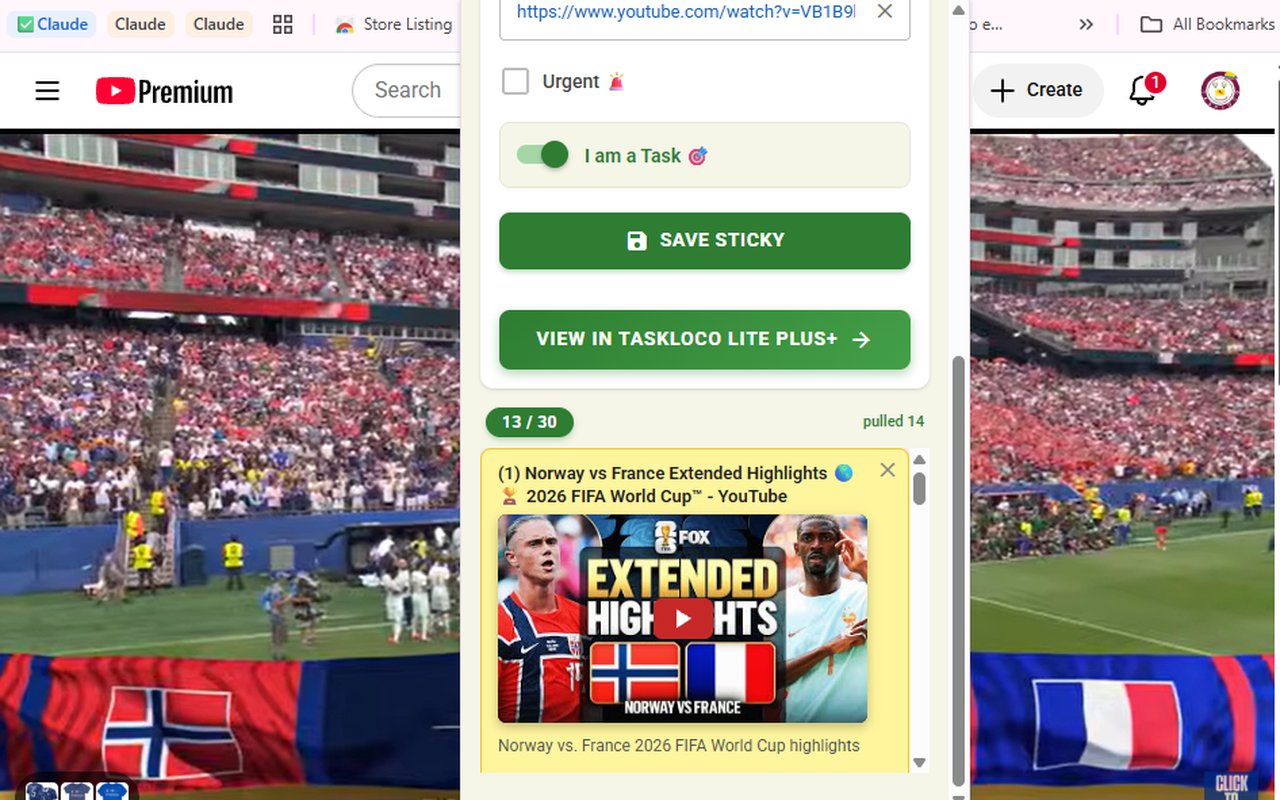
You found a YouTube video you actually want to watch. Maybe it's a 45-minute deep-dive documentary, a cooking technique, or a tutorial you'll need next week. The problem: you don't have a YouTube account, you're not signing into Google just to queue something up, and you know that if you leave the tab open it'll either crash your browser or vanish in the next session restart.
There's a cleaner fix that takes one second and doesn't require a YouTube login at all. The Sticky Note Web Clipper is a free Chrome extension that saves the current tab as a visual sticky note — title and URL filled in automatically. For YouTube videos specifically, it goes one step further: the video embeds directly inside the note, so you can play it without ever navigating back to YouTube. Your saved videos sync to your phone and desktop through TaskLoco, also free to start. No YouTube account. No watchlist buried inside a platform you may not use.
What to Look for in a "Watch Later" Tool That Doesn't Need an Account
Before getting into any specific tool, it helps to understand what the category actually needs to do well. A watch-later solution that doesn't depend on a platform account has to clear three real bars:
- Zero platform dependency. If saving a video requires logging into YouTube, Spotify, or any service, you haven't escaped account friction — you've just moved it. A genuinely account-free solution lives in your browser or your own workspace, not inside the platform's ecosystem.
- Frictionless capture. If saving takes more than a few seconds — copying a URL, pasting it somewhere, adding a title manually — you'll stop doing it within a week. The best tools intercept the save impulse at the moment it happens, which means a browser extension, not a separate app you have to switch to.
- Playback that doesn't require re-navigation. The whole point of saving something is to not lose it. If your saved item is just a raw URL, you still have to open a new tab, wait for the page to load, and find the thing again. A tool that embeds or previews the video inside the saved item is categorically more useful.
Most built-in browser bookmark managers fail the third test entirely. YouTube's own Watch Later list fails the first. That gap is where a visual web clipper fits cleanly.
Why YouTube's Built-In Watch Later Doesn't Work Without an Account
YouTube's Watch Later feature is convenient if you're already signed in — but it's completely locked behind a Google account. No sign-in, no queue. That's a hard wall, not a soft suggestion. And even if you do have an account, the Watch Later list has real limitations that frustrate regular users: it doesn't sync meaningfully across contexts outside YouTube, you can't annotate or tag videos, and the list gets cluttered fast with no visual way to organize it.
Then there's the open-tab approach. Keeping a YouTube video open in a pinned tab is something almost everyone has tried, and almost everyone has had it fail. Browsers crash. Sessions end. Tabs get closed by accident. A pinned tab with a YouTube video is not a reliable save — it's a hope.
Copy-pasting URLs into a notes app is the other common workaround. It technically works, but it's manual, slow, and produces a list of raw links with no titles, no thumbnails, and no way to play the video without leaving your notes app. It's the digital equivalent of writing a phone number on a napkin.
How the Sticky Note Web Clipper Saves YouTube Videos in One Click
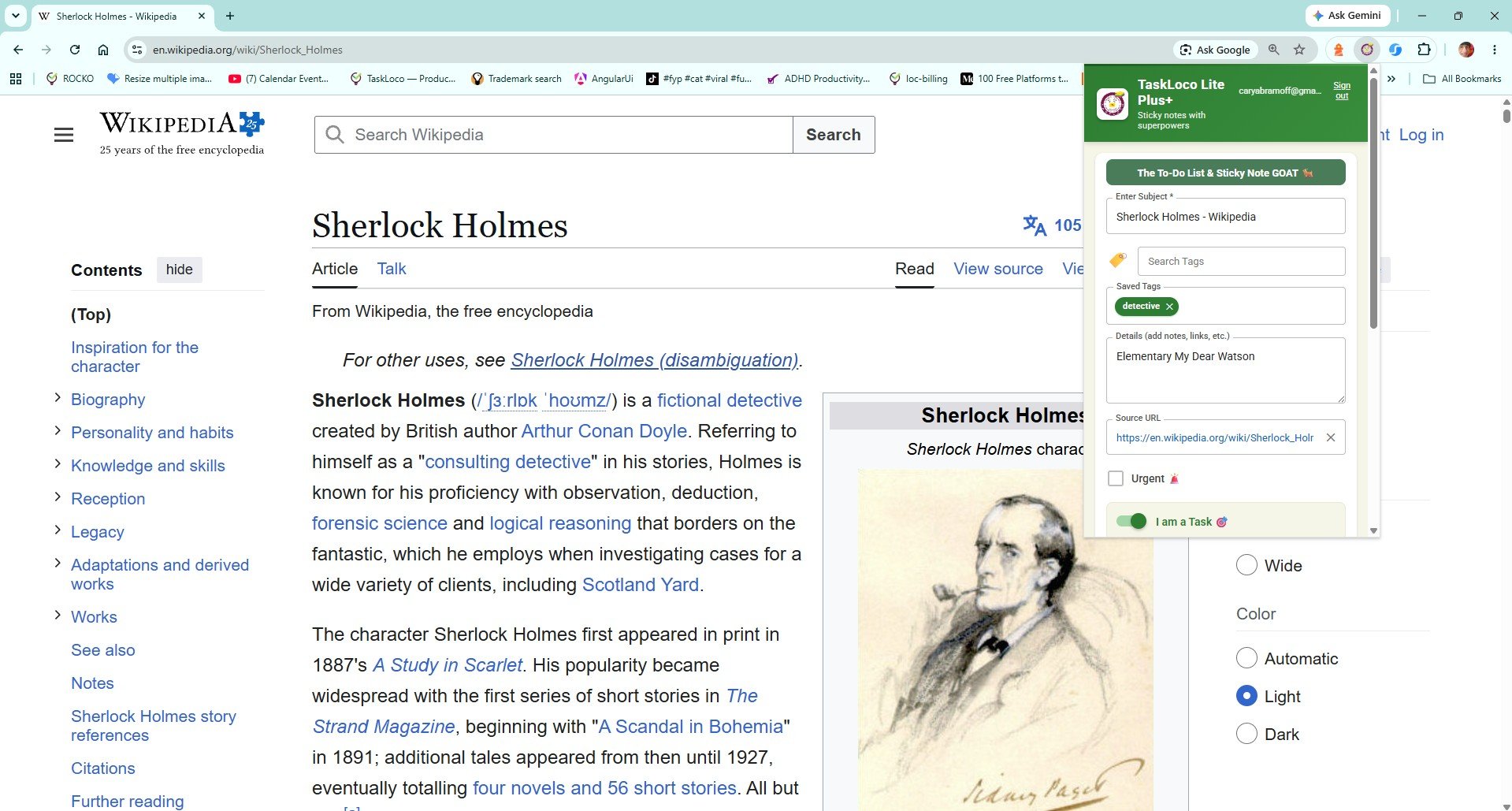
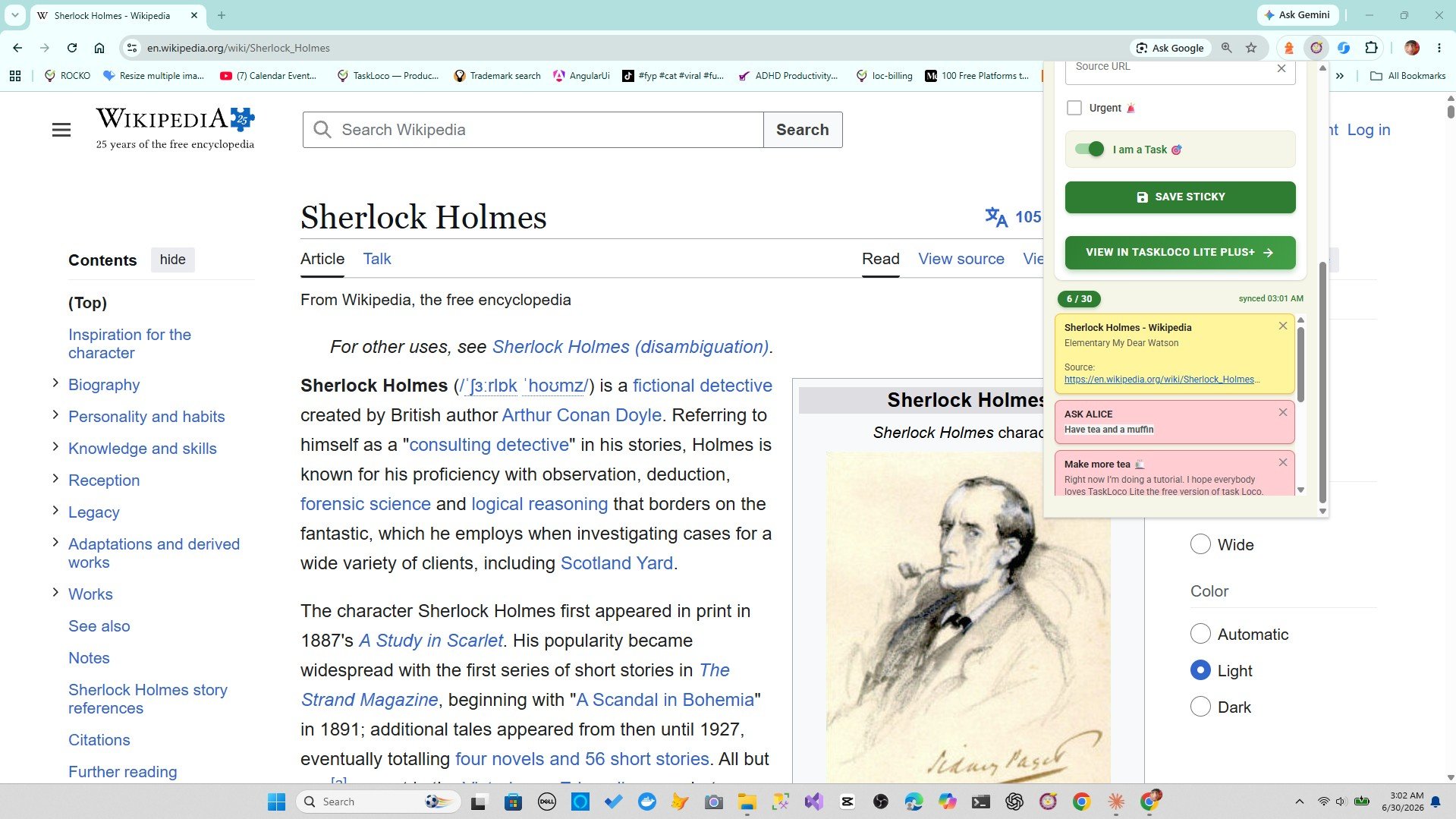
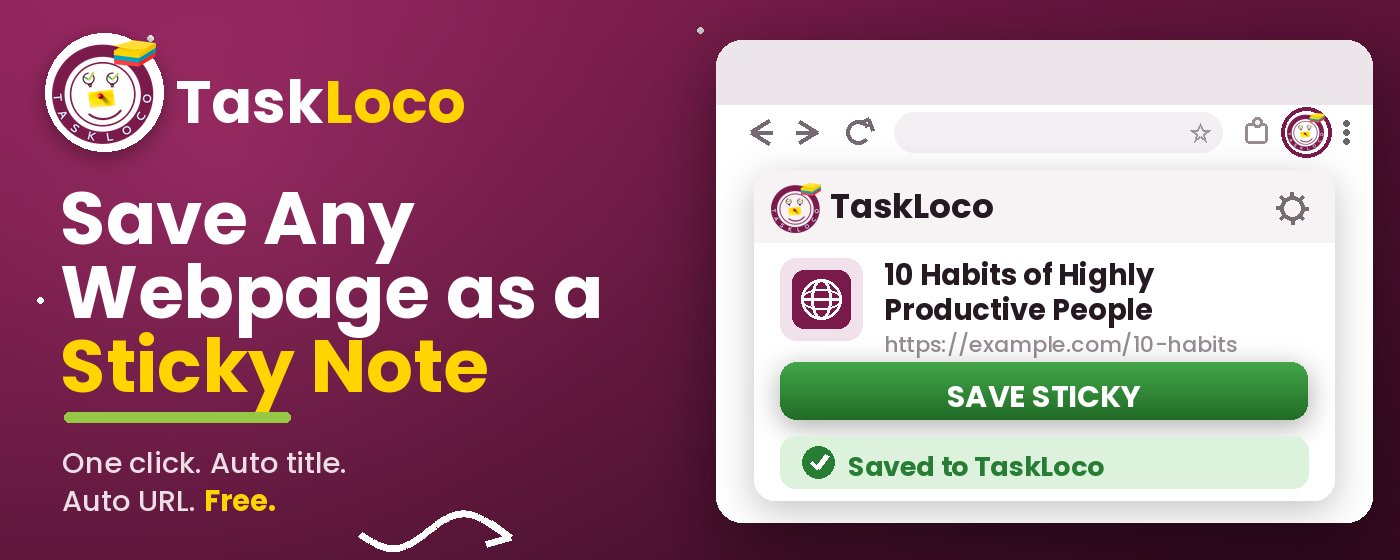
The Sticky Note Web Clipper is a free Chrome extension. Once it's installed, a toolbar icon sits in your browser. When you're on any YouTube video — or any webpage, article, or link — you click the icon once. The extension creates a sticky note with the video's title and URL already filled in. For YouTube, the video embeds directly inside the note, meaning you can press play without going back to YouTube at all.
Here's the actual workflow:
- Find a YouTube video you want to watch later.
- Click the Sticky Note Web Clipper icon in your Chrome toolbar.
- The note is created instantly — title auto-filled, URL captured, video embedded.
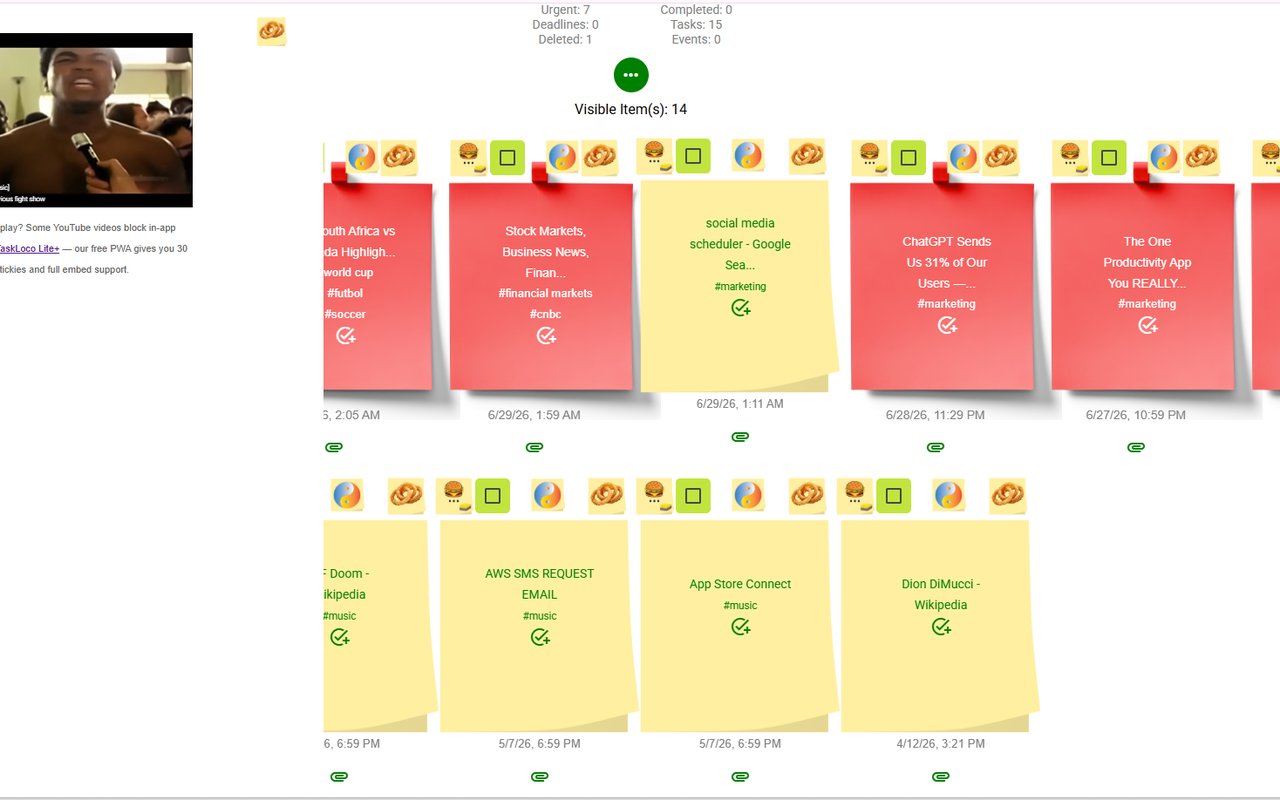
- Your note appears on your TaskLoco wall, which syncs to your phone (iPhone and Android) and your desktop.
- When you're ready to watch, open the note and hit play. Done.
You sign in to TaskLoco with Google (one time, takes 10 seconds), but you are not saving to YouTube or using a YouTube account in any way. Your saved videos live in your own TaskLoco workspace, not inside any video platform's ecosystem.
You can also add tags to your saved notes, so if you're saving videos across topics — cooking, design, programming, travel — you can filter by tag and find the right one fast. Search works too, pulling results by note title.
Sticky Note Web Clipper vs. Other Ways to Save YouTube Videos Without an Account
It's worth being direct about what the alternatives actually look like in practice, so you can judge for yourself.
Browser bookmarks are the default fallback for most people. They work, in the loosest sense — a YouTube bookmark will take you back to the video. But bookmarks are visually flat, have no thumbnail, no embedded playback, and don't sync to your phone unless you're using a browser that offers that feature (and have it set up correctly). There's also no tagging, no search by topic, and no way to leave yourself a note about why you saved the video.
Notion Web Clipper captures URLs and page content, but it clips into a Notion database, not a visual board. For watching a saved YouTube video, you'd need to open Notion, find the page, and then click through to YouTube. There's no embedded playback inside the note itself. It's a reasonable research tool but an awkward watch-later solution.
Evernote Web Clipper has similar limitations — it captures page content well for reading, but it's not built around video, and the free tier is increasingly limited. Setup takes longer than a single install click.
The Sticky Note Web Clipper wins the watch-later use case specifically because it was built for visual, one-click capture of any content type — and YouTube videos embed and play inside the note directly. For someone who wants to save videos without a YouTube account and actually find and watch them later, that combination is hard to match with any of the above alternatives.
How TaskLoco Compares
| Feature | Sticky Note Clipper | YouTube's Built-In Watch Later / Open Tabs |
|---|---|---|
| Requires YouTube account | No YouTube account needed — saves to your own TaskLoco wall FREE | YouTube Watch Later requires a Google/YouTube login |
| One-click capture | Single click on the toolbar icon saves the video instantly FREE | Open tabs require no action but are lost on browser close |
| Video embeds and plays inside the saved note | YouTube video embeds directly in the sticky note — play without leaving TaskLoco FREE | Bookmarks and raw URLs require navigating back to YouTube to watch |
| Auto-filled title and URL | Title and URL captured automatically — no typing required FREE | Manual copy-paste of URL and title into notes or bookmarks |
| Syncs to phone (iPhone and Android) | Notes sync to TaskLoco on iPhone and Android — free FREE | Open tabs do not sync to phone; bookmarks require browser sync setup |
| Visual sticky note layout | Each saved video appears as a visual note on your wall — easy to scan FREE | Browser bookmarks are a flat text list with no visual preview |
| Tags for organization | Add tags to notes so you can filter saved videos by topic FREE | YouTube Watch Later has no tagging; bookmarks have folders only |
| Search saved items | Search by note title to find any saved video quickly FREE | Bookmark search is basic and limited to exact title matches |
| Save any type of page (not just YouTube) | Clips any webpage, article, news story, or link — same one click FREE | YouTube Watch Later is limited to YouTube videos only |
| Survives browser session close | Saved notes persist indefinitely on your TaskLoco wall FREE | Open tabs are lost when the browser closes or crashes |
| Add a personal note to the saved item | Type directly on the sticky note to add context, a timestamp, or a reminder to yourself FREE | Bookmarks and YouTube Watch Later have no personal annotation field |
| Free to use | Extension is free; TaskLoco has a free tier — no payment required to start FREE | Open tabs and bookmarks are free but limited in every other way |
Who Should Use Each
Use the Web Clipper if…
- You want to save YouTube videos to watch later without logging into YouTube or Google on that platform
- You want the video to embed inside your saved note so you can play it without navigating back to YouTube
- You save a mix of content — videos, articles, research links — and want them all in one visual place
- You want your saved videos to sync to your phone so you can watch later on any device
- You want to tag and search what you save instead of scrolling a flat list
Use YouTube's Built-In Watch Later / Open Tabs if…
- You already have a YouTube account and are happy keeping everything inside the YouTube ecosystem
- You only ever save one or two things and never need to organize or find them again
- You only use one device and never need cross-device sync
The Sticky Note Web Clipper is free. Install it from the Chrome Web Store, sign in with Google, and every page you clip becomes a sticky note you can find later.
Your clipped notes sync to TaskLoco across Chrome, desktop, iPhone, and Android — also free to start. No credit card to begin.
Get the Free Clipper
Sticky Note Web Clipper
- Free Chrome extension
- One-click save — any page, article, or video
- Title & URL auto-filled
- Tags & search
- Free forever
Synced to TaskLoco
- Sign in free with Google
- Your wall on Chrome, desktop, iPhone, Android
- YouTube videos embed & play in notes
- Visual sticky-note wall
- Free to start
Add It to Chrome — Free
One click saves any page, article, or YouTube video as a sticky note. Title and URL auto-filled.
Add to Chrome — FreeSee TaskLoco in Action
Frequently Asked Questions
Can I really save YouTube videos to watch later without a YouTube account?
Yes. The Sticky Note Web Clipper saves the YouTube video URL as a sticky note in TaskLoco — no YouTube account or YouTube login required. The video embeds inside the note so you can play it directly without going back to YouTube.
Does the video actually play inside the saved note, or is it just a link?
It actually plays. When you clip a YouTube video with the Sticky Note Web Clipper, the video embeds inside the note using YouTube's standard embed. You can hit play directly from your TaskLoco wall without opening a new tab or going back to YouTube.
Is the Sticky Note Web Clipper free?
Yes — the extension is completely free. TaskLoco, where your notes are saved, also has a free tier. Install from the Chrome Web Store, sign in once with Google, and start saving YouTube videos immediately.
Will my saved YouTube videos sync to my phone?
Yes. Notes you save with the clipper sync to TaskLoco, which is available on iPhone, Android, and desktop. When you want to watch a saved video on your phone, open TaskLoco, find the note, and play.
What's wrong with just bookmarking a YouTube video?
Bookmarks capture the URL but nothing else — no thumbnail, no visual layout, no embedded playback, and no way to annotate why you saved it. You also have to navigate back to YouTube to watch. The Sticky Note Web Clipper captures the video as a visual note with the player embedded, so it's genuinely easier to find and watch later.
Can I save other things besides YouTube videos — like articles and web pages?
Yes, that's the core function of the clipper. One click saves any webpage, article, news story, research source, or link as a sticky note — not just YouTube. Everything lands on the same TaskLoco wall, so your videos and your reading list are in one organized place.
How do I get started?
Install the Sticky Note Web Clipper from the Chrome Web Store — it's free. Sign in with Google once inside TaskLoco. Then go to any YouTube video, click the toolbar icon, and it's saved. That's the whole setup.
Born in Brooklyn. Powered by AWS. Your data stays yours.
TaskLoco is available on iPhone, Android, Chrome, and every web browser.